> ## Documentation Index
> Fetch the complete documentation index at: https://help.opus.pro/llms.txt
> Use this file to discover all available pages before exploring further.
# Add Text Overlays
## Edit your clips
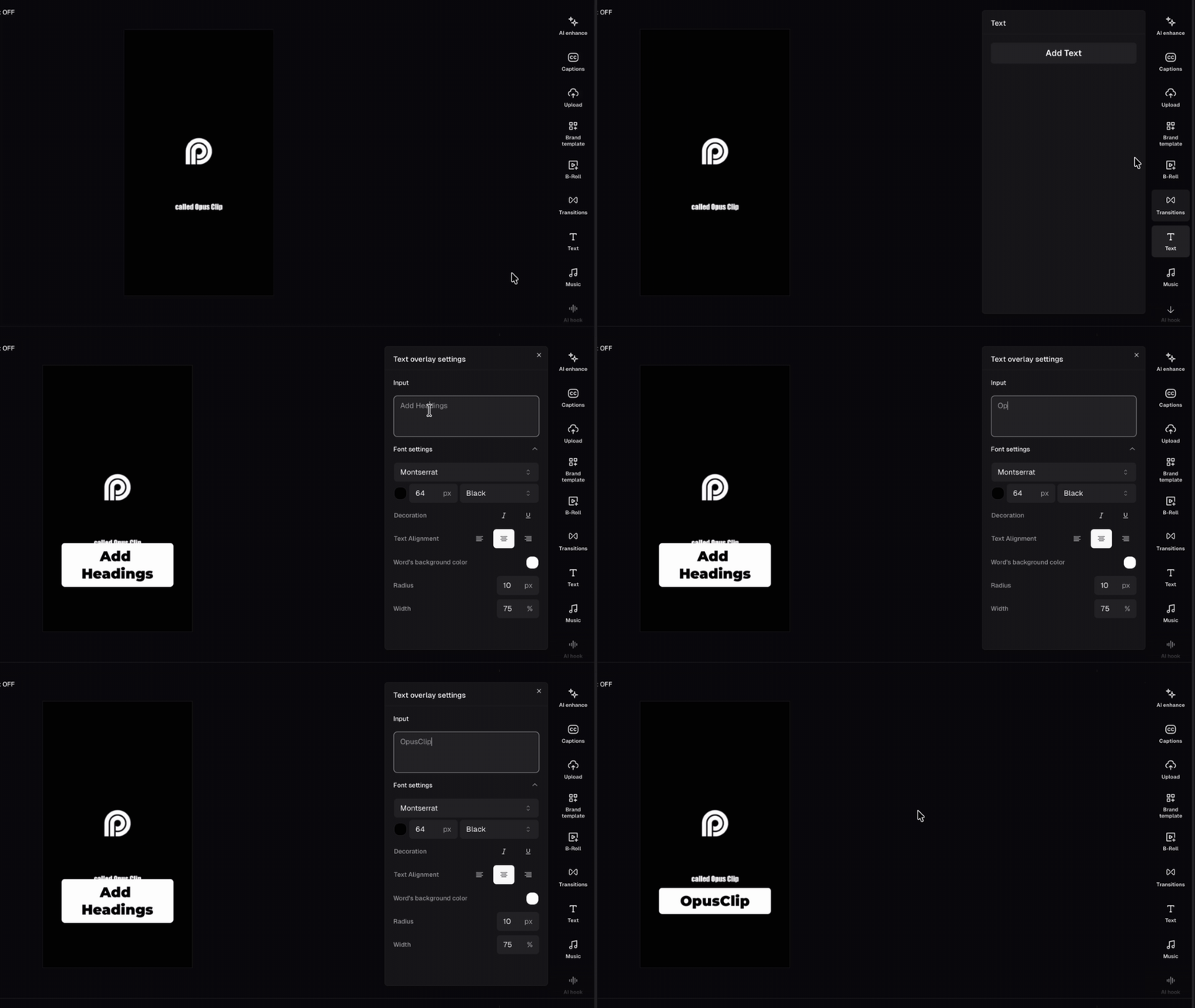
You can add **custom text overlays** as visual cues, calls-to-action, lower thirds, name tags, or headlines by clicking the **Text** tab in the right sidebar.
## Stack up to 5 text layers
You can add up to **5 text overlays** at the same time. Each overlay gets its own track in the timeline. OpusClip automatically places a new overlay on a free track. If all tracks are occupied at that moment, it places the overlay on the last available track.
## Customize, move, and resize a text overlay
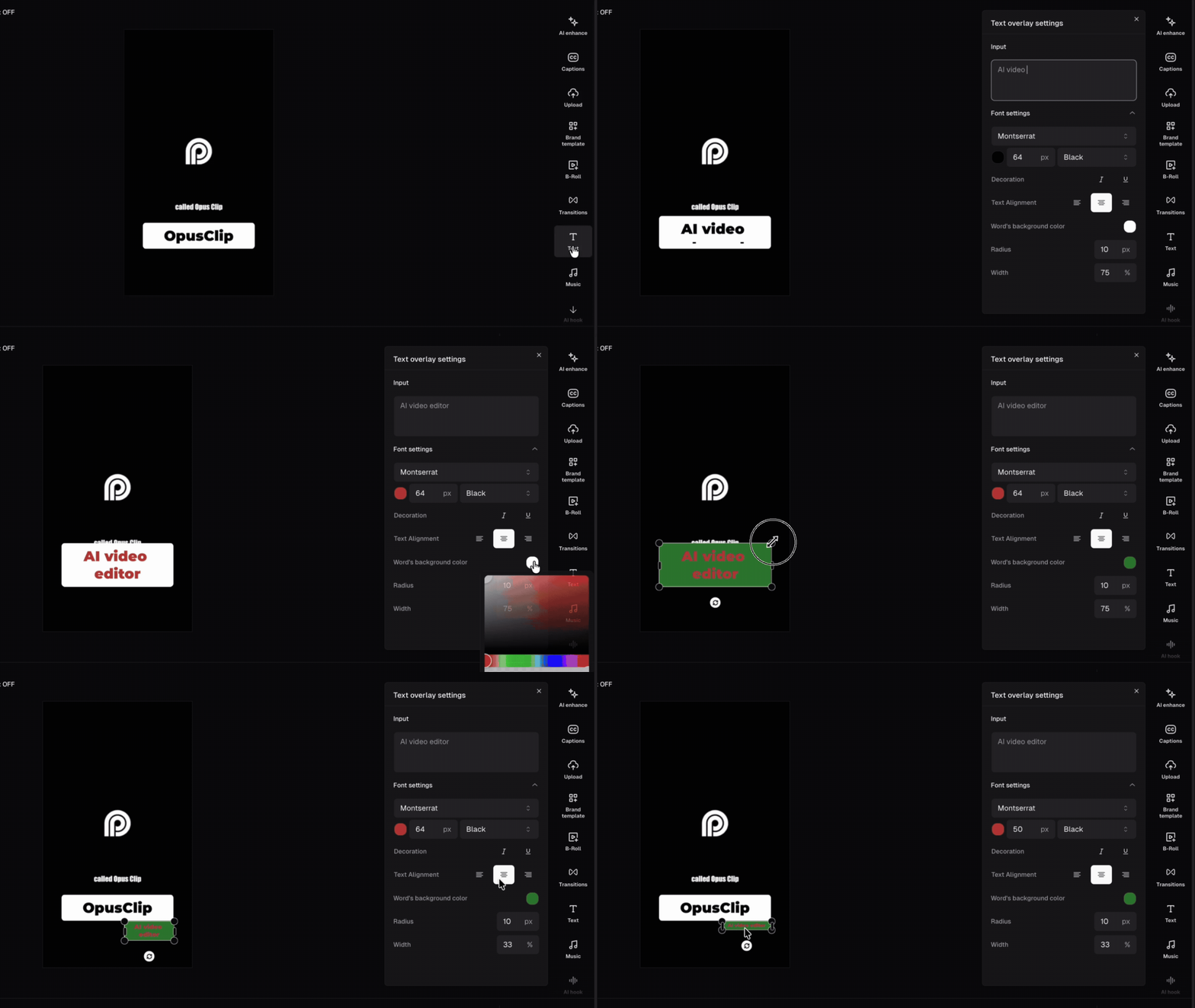
Click a text overlay on the canvas or timeline to open its settings panel in the right sidebar. Under **Font settings** you can adjust:
* **Words background color** — sets the fill color of the text box
* **Text box radius** — controls the corner shape, from sharp (0 px) to fully rounded (up to 80 px)
* **Text box width** — sets how wide the box is as a percentage of the frame (1%–100%)
To reposition it, drag the overlay anywhere on the canvas. To change how long it appears, drag the edges of the clip in the timeline.
## FAQ
### How many text overlays can I add?
Up to 5 at the same time, each on its own timeline track.
### Can I change the font?
Yes — select a text overlay and adjust the font, size, weight, and color from the settings panel in the right sidebar.
### My text overlay isn't showing up. What's wrong?
Check the timeline to make sure the clip is placed at the right time. Also confirm the overlay isn't hidden behind another track.
This documentation is built and hosted on [Mintlify](https://mintlify.com), a developer documentation platform.